| |
|
1.
Download PWI component pack. |
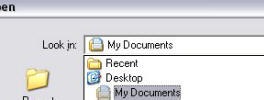
| Create a new folder called
SketchUp in the My Documents folder to
save your files. |
| Click the "Download
PWI Component Pack" link. This takes
you to Google Groups / Files |
| Now you will see a couple of downloadable files.
Select the
PWIComponentPack.skp |
| A box with Open / Save
/ Cancel. Click Save
and select the SketchUp
folder in My Documents. |
| |
| |
| |
| 2. Download and
install Google SketchUp. |
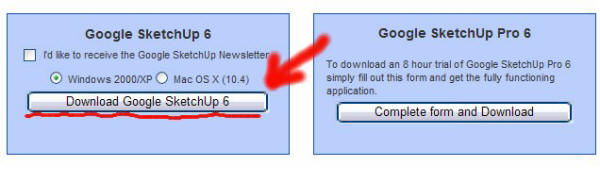
| Click the "Download Google Sketch Up
6" link. This takes you to
Google Groups / Files |
|
 |
| |
| Select operating system then click
Download Google SketchUp 6.
|
|
 |
| |
| If the yellow security bar comes up at the top
of your window, left click and select "download
file". |
|
 |
| |
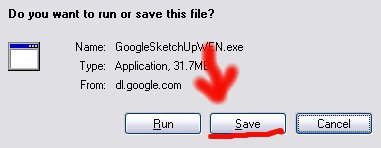
| A box with Run / Save
/ Cancel. Click Save
and select the desktop
to save file. |
|
 |
| Close all running programs. Then double click
the SketchUp file on
desktop and install program. |
|
For
additional help installing and troubleshooting
SketchUp click here. |
| |
| |
|
3. Load the PWI Component Pack into SketchUp. |
| After the SketchUp installation is complete,
double click on the Google
SketchUp icon
on desktop. |
|
 |
SketchUp Desktop Icon |
|
| |
| Then go to File/Open.
Go to My Documents/SketchUp
folder and open
PWIComponentPack.skp |
|
|
| |
| Finally, go to Window
and check the Components
tab. |
|
 |
| |
| Click on a component
then move into your field. This will move a copy of a
component into
play. |
|
 |
| From here you can arrange these panels anyway
you like. When your done with your house. Save the
file under a different name and send it back to
Perfect Wall. |
|
For additional
SketchUp tutorials click here. |
|
|
|
Go Back |